


Solitaire - Classic Card Games
4.912.81K Reviews
App Specs
- Version
- 7.5.1-26092176
- Updated On
- License
- Free
- Downloads
- 50,000,000+
- Developer
- Guru Puzzle Game
- Categories
- Card
- Platform
- Android, iOS
Screenshots
 Analysis by AppCompare
I like Solitaire - Classic Card Games best as a small, familiar break: open a deal, scan the tableau, and decide whether the next move is obvious or worth thinking through. It turns a spare moment into a quiet card puzzle without asking me to learn a complicated system. The pleasure is in that simple loop, though it helps to know what kind of solitaire experience this particular app offers—and what it may not be suited for.
How a Deal Becomes a Break
I focus here on the small decisions that make a deal feel like a proper pause rather than just a way to fill time. Looking ahead before moving, then choosing when to use a hint or undo, gives the familiar card layout a little more texture—and helps explain why I might begin another round after finishing one.
The first move is easy to understand
Downloading and setting up Solitaire - Classic Card Games is a breeze. Available for both Android and iOS, this app doesn't require any special permissions or complicated sign-ups. You simply download, open, and you're ready to start playing. It's perfect for those spontaneous moments when you're waiting in line or have a few minutes to spare.
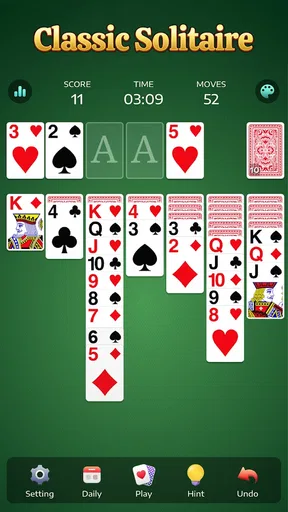
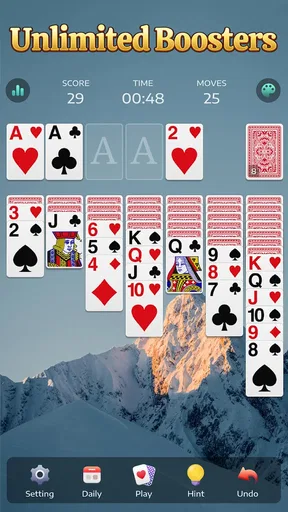
The basic appeal is immediate: look for a playable card, move it, and see what that reveals. A newly uncovered card can change the plan, so I tend to scan the tableau before committing to a sequence of moves. This small habit is useful when several cards are available; taking a second to check whether a move opens a hidden card can be more valuable than moving the first card that happens to fit.
That makes the game approachable for someone returning to solitaire after years away, as well as for a regular player who already knows the rhythm. I wouldn't choose it for a tutorial-led introduction to every card-game rule, but the familiar format makes it easy to start experimenting. If you make a move you regret, the undo option can help you retrace it rather than abandoning the whole deal.
Readable cards make the rhythm
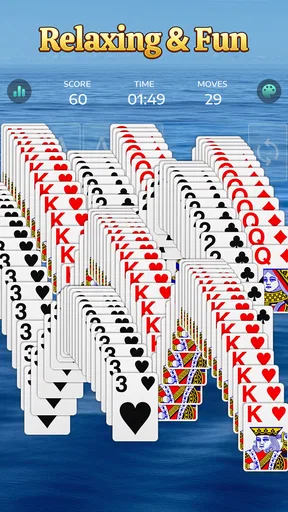
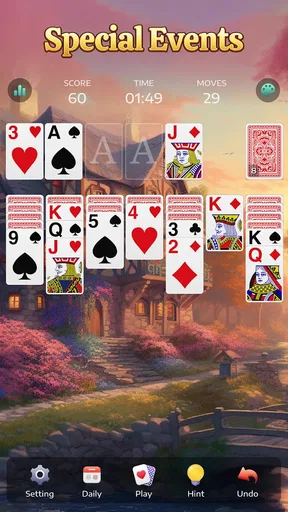
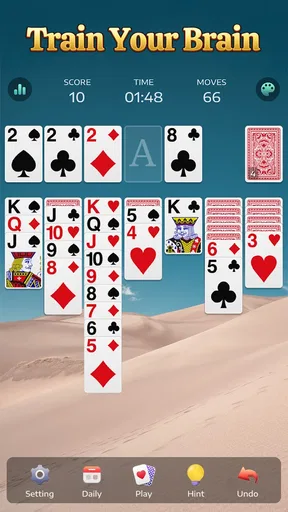
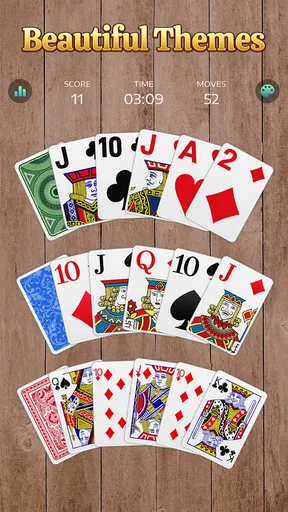
One of the first things you'll notice is the app's clean and intuitive interface. The cards are large and easy to read, and the drag-and-drop mechanics feel smooth and responsive. Plus, you can choose from a variety of backgrounds and card backs to personalize your game, which is a nice touch.
In practice, the satisfying feedback comes from seeing a card land where I intended and then checking what the move has opened up. Hints are handy when I reach a pause, but I treat them as a nudge rather than an automatic answer: deciding whether to follow one keeps the puzzle feeling like mine. Undo is the other useful tool. I use it to test a move when I'm unsure, then reverse it if the result makes the position worse.
Worth Reading Before You Choose

Flipboard Shows What News Apps Must Do Beyond the Feed

Switching to Android Auto Means Rethinking Your Driving Routine

Google Calendar Makes a Crowded Week Easier to Manage

Ludo King Makes the Most of the Minutes Between Plans

Baby Panda World Brings Quick Play to Modern Phones, but Its Game Library Feels Busy

ESPN’s Live Game View Makes Following Close Games Easier
There is a trade-off in that convenience. Hints and undo can soften the consequences of a mistake, which is welcome during a casual session, but players who want every decision to stand may prefer to leave those aids alone. The visual customization also changes the look, not the underlying challenge, so it is best viewed as a comfort option rather than a reason to expect a different game.
Switching modes changes the task
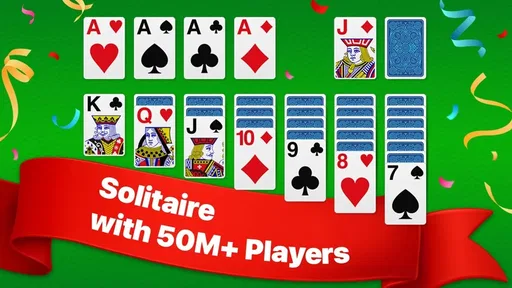
What really sets this app apart are the options for game modes. Of course, you have your classic Klondike, but there are also variations like Spider and FreeCell for when you're in the mood to switch things up. Each mode offers different challenges, keeping the gameplay fresh and engaging.
Those alternatives suit different moods. Klondike is the quick, recognizable choice when I want a straightforward deal. Spider asks for a different kind of planning, while FreeCell is a better fit when I want to think carefully about how to use the available spaces. Having them together makes it easier to change the mental texture of a break without searching for another card app.
That range is useful, but it isn't the same as a broad collection of unrelated games. If I want live opponents, a social competition, or a card game built around conversation, solitaire is the wrong format. A dedicated multiplayer card game would serve that purpose better. Here, the draw is a personal puzzle that can be paused and resumed at my own pace.
Small rewards and sensible stopping points
The app is designed with both beginners and seasoned solitaire players in mind. For those just getting into the game, there are hints and undo features to help you out when you're stuck. But if you’re a solitaire pro, you can crank up the difficulty and challenge yourself to beat your best time. The game even keeps track of your stats, so you can see how you stack up against other players.
For me, the reward is less about a dramatic finish and more about turning a messy tableau into a sequence that works. A completed deal gives a neat endpoint, while a difficult position can still feel satisfying if I spot a route forward. Stats can add a personal reason to return, especially if you enjoy comparing your own sessions, but I wouldn't treat a fast time as a measure of skill on its own: the cards you receive affect how a deal unfolds.
A practical routine is to use one deal as a short reset between tasks, then stop when it is done instead of letting “one more” take over the break. If a deal becomes frustrating, switching to another mode changes the puzzle rather than simply repeating the same approach. That is a more useful reset than chasing a result when I no longer feel engaged.
Free to start, with trade-offs to weigh
Another highlight is the lack of intrusive ads. While there are occasional pop-ups, they don’t interrupt gameplay, which is a major plus in my book. Nothing kills the vibe faster than an ad popping up right when you’re on a roll!
The game is free to play, and Guru Puzzle Game is the developer behind it. It has a 4.8 average from around 565,000 ratings and more than 50 million installs, which suggests it has found a wide audience among people who want solitaire on a phone. It is rated for Everyone, so it suits a broad range of ages. The current version is 5.11.1-25120246, and it supports Android 6.0 and later.
Free does not mean every option is included without cost: in-app purchases range from $0.99 to $59.99 per item. The article's original advice still applies—paid options are not essential to enjoy the basic game—but I would check each purchase carefully before confirming it. If your main concern is avoiding interruptions, the occasional pop-up may still be a drawback; someone who wants a completely uninterrupted, no-purchase experience may be happier with a different solitaire app.
Compared with a basic solitaire game that offers only one familiar mode, this one gives me more ways to vary a session. Compared with a polished, competitive card title, it is deliberately quieter and less social. I see that as a clear choice rather than a flaw: it works when I want a self-contained puzzle, not when I want opponents, tournaments, or a larger set of connected activities.
Who should deal in—and who should pass
I would recommend it to casual players who already enjoy Klondike, people who like switching between solitaire styles, and anyone who wants a low-pressure activity for a commute or a waiting room. The offline play noted in the original review is especially useful when a connection is inconvenient; it means I can keep a deal going without relying on mobile data. For a short session, I also find it helpful to decide on a stopping point before opening the game, since the quick restart makes another deal tempting.
It is less suited to someone looking for a story, evolving levels, or head-to-head play. Solitaire's appeal is repetition with small variations in each layout, so if that basic pattern feels dull to you, changing the card backs will not solve the problem. And while multiple modes offer variety, players who want a deep strategy game with a long-term campaign should look elsewhere.
The loop verdict
While the app offers a great free experience, there are in-app purchases available. These allow you to remove ads completely or access additional themes and card styles. If you find yourself playing often, you might consider these options, but they’re by no means necessary to enjoy the game.
Also, if you're someone who prefers playing offline, you'll be happy to know that Solitaire - Classic Card Games doesn't require an internet connection. You can play anytime, anywhere, without worrying about data usage.
All in all, Solitaire - Classic Card Games is a fantastic app for anyone looking to enjoy a classic card game on the go. With its user-friendly interface, variety of game modes, and minimal ads, it’s no wonder this app is a favorite among card game enthusiasts. Whether you’re a newbie or a seasoned player, you’ll find something to love in this pocket-sized version of solitaire. So, why wait? Give it a try and see how quickly you get hooked!
Pros
- Smooth gameplay with intuitive controls.
- Minimalistic design enhances focus.
- Offline mode available for travel.
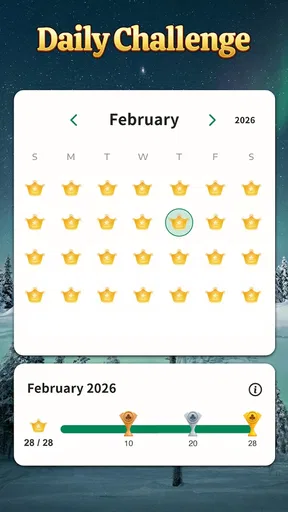
- Offers daily challenges for variety.
- Customizable card backs and themes.
Cons
- Ads can be frequent and distracting.
- Limited hints in free version.
- No multiplayer mode available.
- Some themes require in-app purchases.
- Occasional crashes on older devices.
FAQs for Solitaire - Classic Card Games
What features does Solitaire - Classic Card Games offer?
Solitaire - Classic Card Games offers several features that enhance the classic card game experience. Users can enjoy intuitive touch controls, customizable card designs, and a choice of backgrounds. The app also includes features like hints, undo options, and daily challenges to keep gameplay engaging and fresh.
Is Solitaire - Classic Card Games free to play?
Yes, Solitaire - Classic Card Games is free to download and play. However, it may contain in-app purchases that offer additional features or remove ads. Users can enjoy the core gameplay without spending money, but optional purchases can enhance the experience.
Does the app require an internet connection?
No, Solitaire - Classic Card Games does not require an internet connection for most features. Users can play offline, making it a great option for entertainment without data usage. However, certain features like daily challenges or updates may require connectivity.
Is Solitaire - Classic Card Games suitable for all ages?
Yes, Solitaire - Classic Card Games is suitable for all ages. The game’s simple rules and straightforward gameplay make it accessible for children, while its strategic elements can also appeal to adults. Parents can confidently allow their children to play this classic card game.
How can I customize my gameplay experience in Solitaire - Classic Card Games?
Players can customize their experience by selecting different card designs and backgrounds. The app allows users to choose from a variety of themes to suit their preferences. Additionally, users can adjust game settings like draw one or draw three cards, enhancing personalization.


